Table of Contents
Toshiba has put its name on an unusually wide range of products over the decades. Many households own a Toshiba television or remember a Toshiba laptop, while homes and offices rely on Toshiba air conditioners and multifunction copiers. Each of these product types has very different controls, maintenance needs and safety considerations, yet they share one thing: the manual is the most reliable guide to using them well.
This article explains how to make practical use of Toshiba documentation across these categories. It covers locating the right manual, getting through setup, understanding settings and maintenance, and approaching troubleshooting sensibly, so that you can get the most out of the equipment you already own without guesswork.
Why the Right Manual Saves Time
Product menus, remote controls and maintenance routines change from one model generation to the next. Advice found online may refer to a different model or region and can send you looking for settings that do not exist on your device. The manual written for your exact model removes that uncertainty and describes the features your unit actually has.
Start by finding the model number. On televisions it is usually on a label at the back; on laptops it is underneath or inside the battery area on older models; on air conditioners it is on the indoor and outdoor units; and on copiers it appears on a label and often in the device information menu. With that number, manuals on manualmachine.com can be matched to your exact product rather than a similar one.
Manuals also contain safety information that is easy to overlook. Television guides explain wall-mounting considerations and ventilation clearances, laptop guides cover safe charging and battery handling, air conditioner manuals describe electrical and installation requirements, and copier documentation highlights hot internal areas and correct handling of toner. Reading these sections once, and returning to them when equipment is moved or reinstalled, helps prevent damage and injury. It also ensures you use each product within the conditions the manufacturer intended, which supports reliable operation and helps protect any warranty that still applies.
Toshiba Televisions: Setup and Picture Settings
A television manual walks you through connecting antennas, set-top boxes, games consoles and sound systems, then guides you through the first-time setup, including channel scanning and network configuration on smart models. It also explains the purpose of each input, which helps when deciding where to connect a soundbar or which port supports particular features.
The picture and sound sections are worth reading carefully. Preset modes, motion processing, energy saving options and audio output settings all affect the viewing experience. The manual explains what each option does, so you can make informed choices instead of switching settings at random. It also covers software updates, parental controls and how to restore factory settings if the menus become confusing.
Toshiba Laptops: Getting Reliable Performance
Laptop user guides cover the physical layout of ports and keys, function key shortcuts, battery care, power settings and recovery options. Older Toshiba laptops remain in use in many homes, and their documentation is often the only clear source for details such as which function key combinations control the display, wireless or touchpad.
Battery and cooling guidance is particularly practical. The manual explains how to calibrate or care for the battery according to the model, and why vents must stay clear to prevent overheating. It also describes how to access recovery or reset options, which is useful when preparing a laptop for a new owner. Always back up personal files before using any recovery procedure.
Toshiba Air Conditioners: Comfort and Maintenance
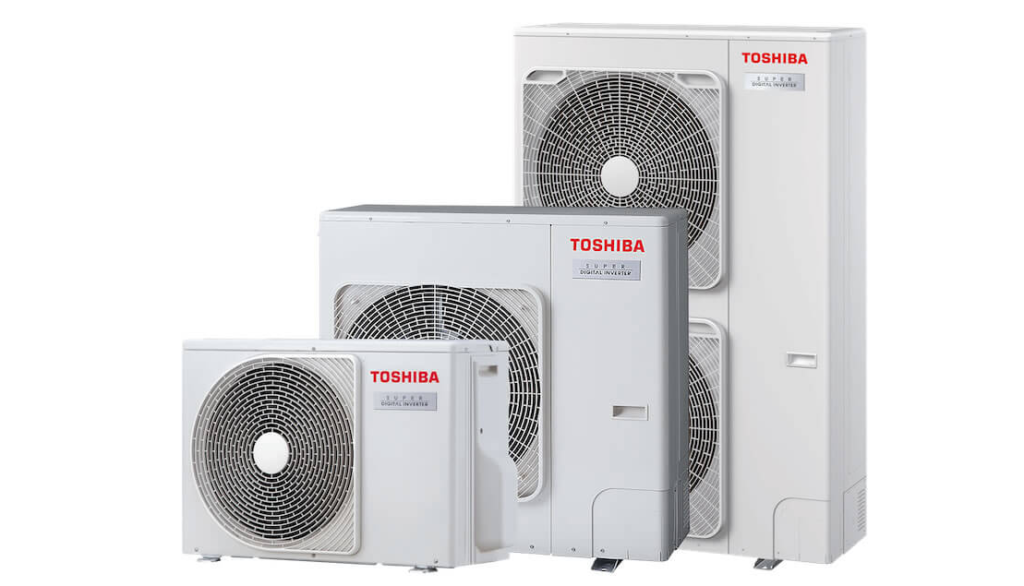
Air conditioner manuals explain the remote control, operating modes such as cooling, heating, dry and fan, timer functions and airflow direction. Understanding these modes helps you keep rooms comfortable while using energy sensibly. The manual also explains what normal operation looks like, including sounds and short delays that might otherwise seem like faults.
Routine owner maintenance is usually limited to cleaning the air filters and keeping the outdoor unit free of leaves and obstructions, and the manual shows how to remove and refit filters correctly. Tasks involving refrigerant, electrical connections or internal components must be handled by a qualified technician. Regular filter cleaning as described in the documentation helps maintain airflow and efficiency throughout the year.
Toshiba Copiers and Multifunction Printers
Office multifunction devices come with several manuals, often covering quick start, copying, printing, scanning, faxing and administration separately. Users benefit most from the guides on basic operations, loading paper, replacing toner and clearing paper jams, while administrators rely on the documentation for network settings, user authentication and security configuration.
When a paper jam occurs, the manual and the device’s on-screen guidance show which panels to open and in what order. Follow these steps carefully, because some internal areas become hot during operation. For scanning to email or shared folders, the administrator documentation explains how to configure network destinations properly. Keeping the right guide close to the device helps staff solve everyday issues without waiting for a service call.
Troubleshooting Without Guesswork
Most Toshiba manuals include a troubleshooting section organised by symptom: no picture, no sound, a laptop that will not charge, an air conditioner that is not cooling, or a copier producing faint prints. These tables list likely causes and simple remedies, such as checking cables, replacing remote control batteries, cleaning filters or confirming the correct input or mode.
Work through the listed checks before assuming a hardware fault. If a device displays a message or indicator you do not recognise, look it up in the manual for your model rather than relying on general advice. When the problem persists, note the model number, the symptoms and any messages shown, then contact an authorised service provider with that information ready.
Organising Documentation for Home and Office
Households and businesses with several Toshiba products benefit from a simple documentation system. Keep a list of model numbers, purchase dates and service contacts, and store manuals either in a labelled folder or as clearly named digital files. For offices, place the quick reference guide next to each copier and keep administrator manuals with IT records.
When you need to replace a lost guide or check a feature on an older model, browse the Toshiba manuals section to locate documentation by product type and model number. Having the correct manual available turns many frustrating moments into quick fixes, helps equipment last longer and ensures that any technician you call starts with accurate information about your device.